Contact Us

(408) 660-0614

Mon - Fri: 9:00 - 05:00 Sat: 10:00 - 02:00

2635 Cunningham Ave Suite 23. San Jose, CA

Contact Us

(408) 660-0614

Contact Us

(408) 660-0614

Mon - Fri: 9:00 - 05:00 Sat: 10:00 - 02:00

ABOUT US

We transforming outdoor spaces into beautiful, functional havens.

ABOUT US

We transforming outdoor spaces into beautiful, functional havens.

ABOUT US

We transforming outdoor spaces into beautiful, functional havens.

Exceptional Artificial Grass Experts

Why Choose 4 Seasons Green?

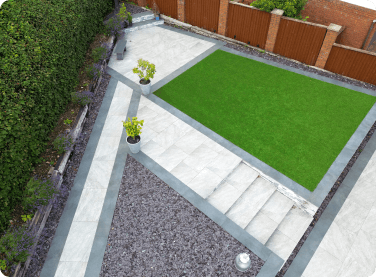
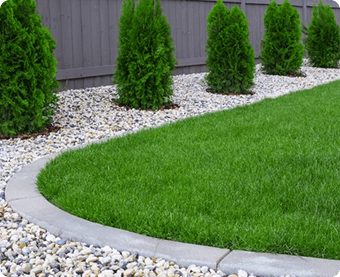
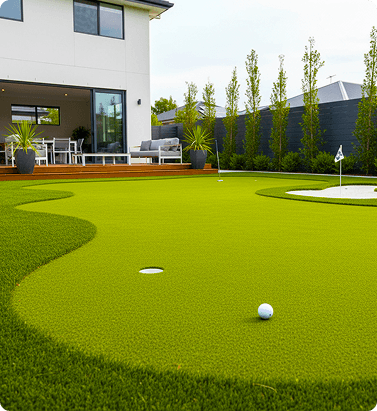
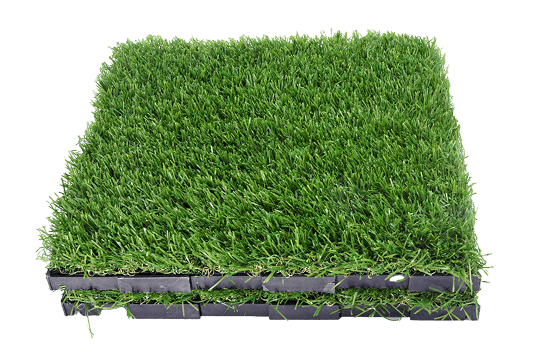
Transform your outdoor space into a lush, evergreen paradise—without the endless cycle of maintenance. At 4 Seasons Greens, stunning landscapes meet practicality: our high-performance artificial grass recreates the look and feel of natural grass while saving you time, water, and money.

Always Beautiful

Perfect green spaces, no matter the season.

Save water

A sustainable solution that saves water and eliminates harsh chemicals.

High Traffic

Handles crowds while staying fresh and elegant.

Save time in weekends

Lorem ipsum

OUR TEAM

Our team of skilled professionals is committed to delivering top-quality landscaping services tailored to your needs, ensuring that your vision comes to life with precision and care.

Sam Stevens

CEO & Founder

Mike Wooden

Designer Landscape

Patrick Fiah

Exterior Designer
PROJECTS

Our work speak for itself

FAQ

How do I draw Frames?

To add a video to your site, click the “Insert” button and navigate to the “Media” section. Then, drag and drop a video component onto the Canvas.

How do I draw Frames?

To add a video to your site, click the “Insert” button and navigate to the “Media” section. Then, drag and drop a video component onto the Canvas.

How do I draw Frames?

To add a video to your site, click the “Insert” button and navigate to the “Media” section. Then, drag and drop a video component onto the Canvas.

How do I draw Frames?

To add a video to your site, click the “Insert” button and navigate to the “Media” section. Then, drag and drop a video component onto the Canvas.

How do I draw Frames?

To add a video to your site, click the “Insert” button and navigate to the “Media” section. Then, drag and drop a video component onto the Canvas.

How do I draw Frames?

To add a video to your site, click the “Insert” button and navigate to the “Media” section. Then, drag and drop a video component onto the Canvas.

How do I draw Frames?

To add a video to your site, click the “Insert” button and navigate to the “Media” section. Then, drag and drop a video component onto the Canvas.

How do I draw Frames?

To add a video to your site, click the “Insert” button and navigate to the “Media” section. Then, drag and drop a video component onto the Canvas.

How do I draw Frames?

To add a video to your site, click the “Insert” button and navigate to the “Media” section. Then, drag and drop a video component onto the Canvas.

How do I draw Frames?

To add a video to your site, click the “Insert” button and navigate to the “Media” section. Then, drag and drop a video component onto the Canvas.

How do I draw Frames?

To add a video to your site, click the “Insert” button and navigate to the “Media” section. Then, drag and drop a video component onto the Canvas.

How do I draw Frames?

To add a video to your site, click the “Insert” button and navigate to the “Media” section. Then, drag and drop a video component onto the Canvas.

How do I draw Frames?

To add a video to your site, click the “Insert” button and navigate to the “Media” section. Then, drag and drop a video component onto the Canvas.

How do I draw Frames?

To add a video to your site, click the “Insert” button and navigate to the “Media” section. Then, drag and drop a video component onto the Canvas.

How do I draw Frames?

To add a video to your site, click the “Insert” button and navigate to the “Media” section. Then, drag and drop a video component onto the Canvas.

Ready to Transform Your Outdoor Space?

Get a Free Estimate today and let 4 Season Green turn your vision into reality.

Copyright © 2024 Green Horizon, CA. All right reserved.

Copyright © 2024 Green Horizon, CA. All right reserved.

Copyright © 2024 Green Horizon, CA. All right reserved.